

Quick answer
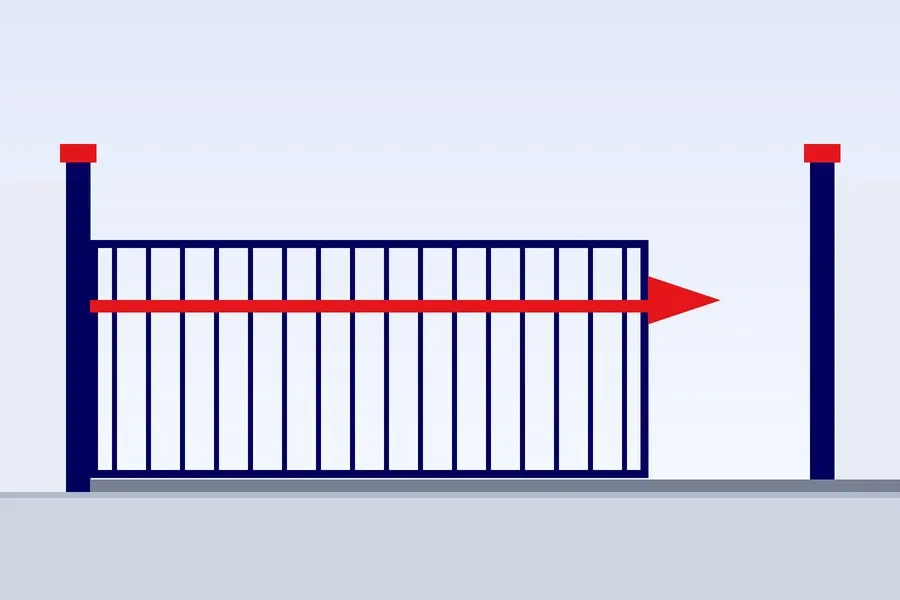
If a gate opens from the remote but not the wall button, the fault is in the button, its cable or its terminal. If it opens from the button but not the remote, suspect the remote battery, the code or the receiver. Both inputs share one control board, so if neither works, check power and safety devices.
Key takeaways
- The remote and the wall button are two separate paths into one control board.
- Remote works, button does not: look at the button, its cable and its box.
- Button works, remote does not: battery first, then the learned code, then the receiver.
- If a second remote works, the first one is the problem.
- Do not open the control box. It holds mains voltage.
- Send a short video that shows both inputs and the gate reaction.
Short answer: If the gate opens from the remote but not the wall button, the fault is in the button, its cable or its terminal. If it opens from the button but not the remote, suspect the remote battery, the learned code or the receiver. Both inputs end at the same control board, so if neither works, check the power and the safety devices before anything else.
Door or gate giving you trouble?
Call +971 50 495 3512 WhatsApp us Get a quote
Open 24/7 · Same-day technician · Free site visit
Why can a gate obey the remote but ignore the wall button?
Because they are two different paths into the same control board. The remote talks by radio to a receiver. The wall button, the intercom release or a keypad sends a signal down a cable. Each path has parts the other does not, so one can fail while the other keeps working.
That is useful news. It means the fault is small and can be found by elimination. The table below shows which parts each path uses and which parts they share.
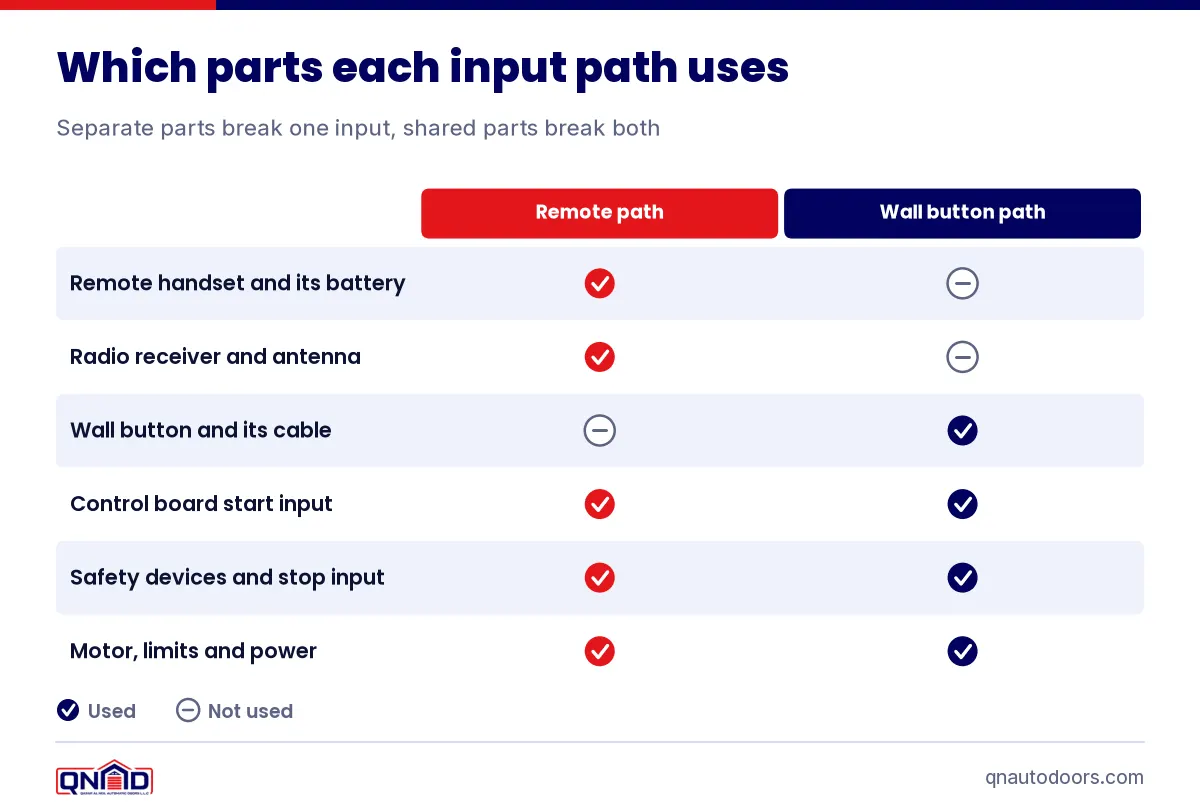
Anything in the shared rows, such as the board or the gate motor itself, breaks both inputs. Anything in the separate rows breaks only one. So a gate that obeys the remote but not the button points at the button path, and the reverse points at the radio path.
The remote works but the wall button does not: what are the causes?
The cause is almost always the button, its cable or a terminal. The board accepts commands from the remote, so it is alive and the motor is fine.
Wall button fault by symptom
| What you see | Likely cause | What you can check | Who fixes it |
|---|---|---|---|
| Button feels loose or has no click | Worn or broken switch | Press it and feel the action | Technician replaces the button |
| Box is damp, rusty or has water marks | Moisture in the box has corroded the contacts | Photograph it, do not force the cover | Technician dries or replaces |
| Worked until the wall was repainted or drilled | Cable cut or pinched | Look along the cable route | Technician traces and repairs |
| Button works only when pressed hard or held | Dirty or worn contacts | Does it work if pressed at the edge? | Technician replaces |
| Intercom release works, button does not | Fault in the button path alone | Test each input once | Technician checks the shared input |
| Wireless wall button stopped | Dead battery or lost code | Change the battery | Technician re-learns the code |
In coastal parts of Ajman and Sharjah such as Al Khan and Al Majaz, humid air and spray can reach an outdoor button box, and a damp box is a common reason for a button to stop. Irrigation and car washing near a pillar do the same in any area.
The wall button works but the remote does not: what are the causes?
Start with the battery, then the learned code, then the receiver. The gate works, the board works and the button path works, so the problem is on the radio side.
| What you see | Likely cause | What you can check |
|---|---|---|
| Remote light is dim or off | Battery has run down | Fit a new battery of the same type |
| Remote works only next to the gate | Weak battery, or a weak receiver | See our FAQ on remote range in Ajman |
| One remote fails, a second works | First remote lost its code or is damaged | Try the second remote at the same spot |
| All remotes fail, button works | Receiver, antenna or memory fault | Note whether the receiver light blinks |
| Stopped after a power cut or surge | Memory cleared or receiver damaged | Tell us the date of the power event |
| Remote fails only at some times of day | Interference near the receiver | Note when it happens and where you stand |
On some garage door openers the wall console has a lock or holiday mode that blocks the remotes, so the console works and the handsets do not. Check the console and the manual before assuming a fault.
What can I check myself, safely?
Keep to the outside. Never open the control box, because it holds mains voltage. These steps need no tools.
- Try every input once: remote, wall button, keypad, intercom release. Write down which worked.
- Change the remote battery with a new one of the same type, and try again from close to the gate.
- Try a second remote if you have one.
- Look at the button box: cracks, water, a loose cover or a hanging cable. Photograph it.
- Look along the cable route for damage from painting, drilling or a pest.
- Film the gate reacting to each input. A short video is more useful than a description.
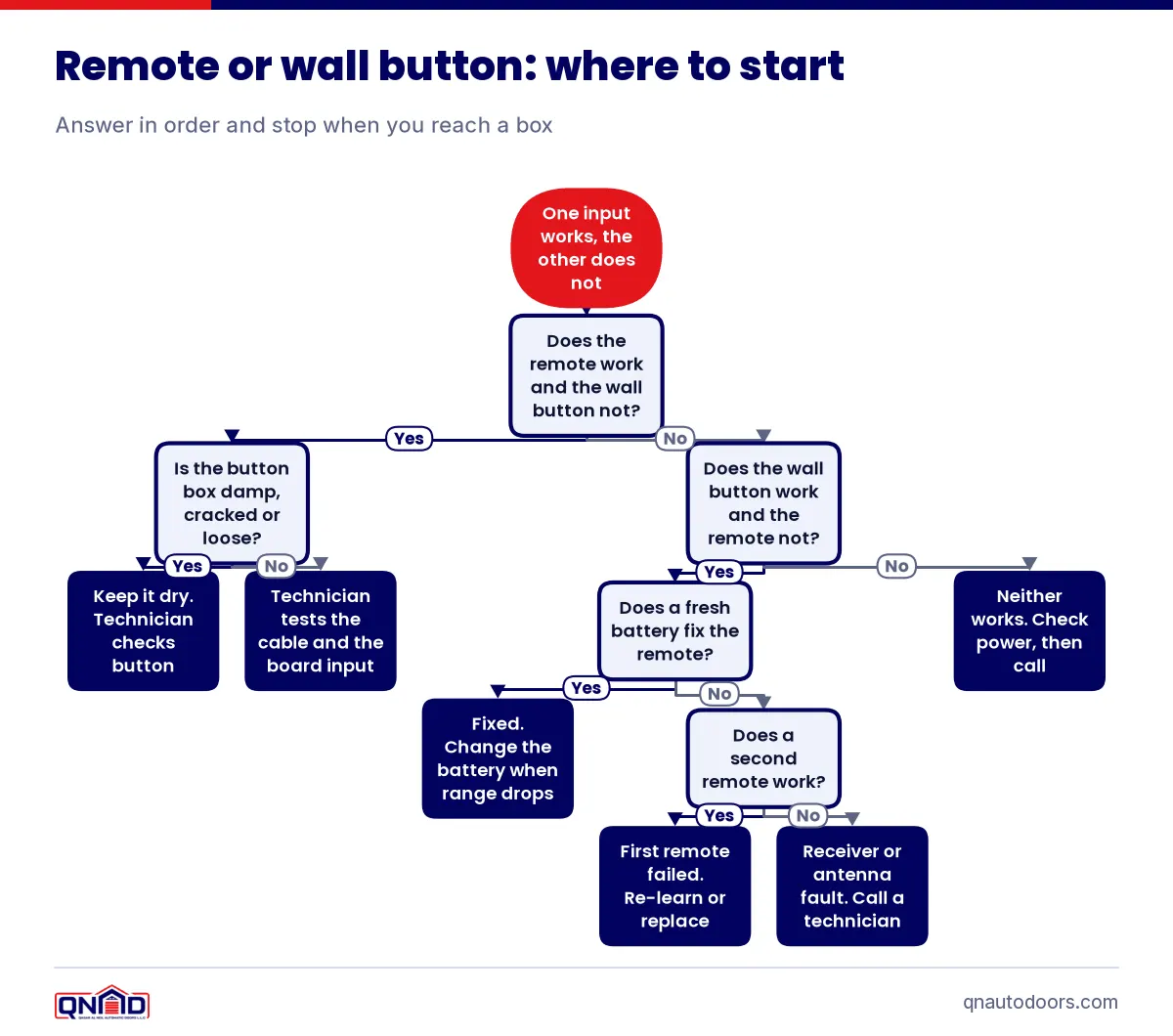
If both inputs fail, treat it as a different problem. Our guides on safe first steps for a stuck gate and on a gate that reverses or stops halfway cover that case.
What does a technician do to separate the two paths?
A technician tests each path on its own. At the control board the button input can be tested directly, which shows whether the board accepts a wired command. A meter confirms whether the cable carries the signal. A fresh remote is learned to test the receiver and its memory. The result decides the repair: a new button, a repaired or new cable, a new receiver or a re-learned set of remotes.
Often the fix is small. A new button and a dried box, a re-learned remote or a new receiver is usually cheaper than a new control board, which is why separating the paths first is worth it. If the board is the problem, the spare parts guide explains the options for an older unit. For other remote questions see remote controls and receivers.
Does this change for a garage door?
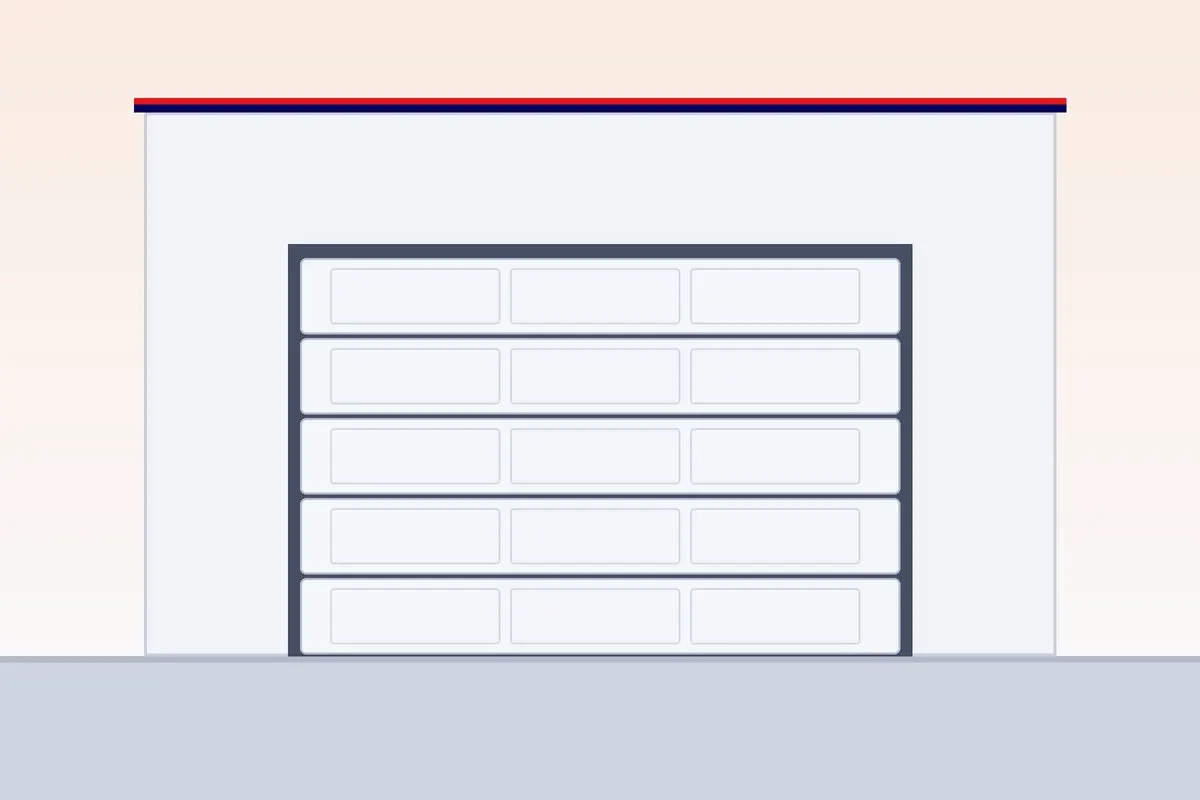
The logic is the same, with different parts. A garage door opener has a wall console connected by two wires, and the remote talks to a receiver inside the motor. A dead console and a working remote points at the console wire or the console itself. A dead remote and a working console points at the battery, the learned code or the receiver. Our garage door motor troubleshooting guide covers the rest, and the page on garage door openers shows what we supply.
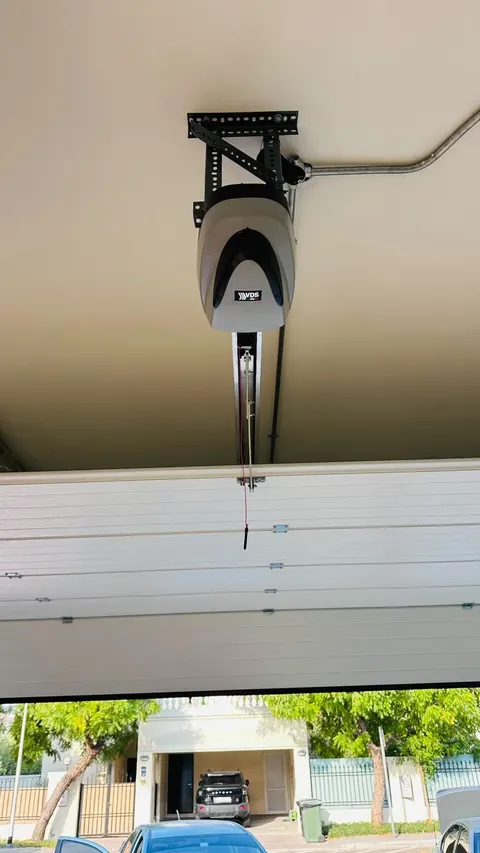
VDS Garage Door Operator Installation in Mudon, Dubai
Mudon, Dubai. A ceiling-mounted operator with a rail and a manual release cord, with limits, safety reverse and remotes set on site.
Where do we see this in Ajman and Sharjah?
Villas in Al Rashidiya and Al Rawda often have a wall button inside the garage or on the pillar of their sliding gate, and the cable can be old. Compounds in Al Nahda and Muwaileh may add a keypad and an intercom, which means three or four inputs on one board. Industrial yards in the Ajman Industrial Area and Al Jurf often add a wired button at a security cabin. The more inputs, the more places to look, and the more the split diagnosis helps. Gate faults in Sharjah can be booked through our gate repair in Sharjah page.
What should I send so we can tell which part it is?
What to send us
- A short video of the gate reacting to the remote, then to the wall button.
- A photo of the wall button and its box, and of the cable route if you can see it.
- A photo of the remote, front and back, and the battery type.
- A photo of the motor label and the control box with the cover closed.
- Whether there is also a keypad, an intercom or a second button.
- When it started, and whether a power cut, rain or work on the wall came first.
Frequently asked questions
Why does my gate open with the remote but not the wall button?
The remote and the wall button reach the control board by different paths. If the remote works, the board and motor are alive, so the fault sits in the button, its cable or its terminal. A damp box, a cut cable or a worn switch is the usual cause.
Why does my wall button work but the remote does not?
The gate and board are fine. The radio side has failed: a flat remote battery, a lost code or a weak receiver. Change the battery first, try a second remote, and check the range. If all remotes fail, the receiver needs a technician.
Can I bypass the wall button?
Not safely at the board, because the control box holds mains voltage and the input also sits beside the stop and safety terminals. Use the remote meanwhile. A technician can test the button input directly and fit a new button in a short visit, with the safety inputs left untouched.
Could a power cut make only the remote stop?
Yes. A power cut or surge can clear the receiver memory or damage the receiver, while the wired button path survives. Tell us the date it happened, and photograph the receiver or the board. We check whether the codes can be re-learned or the receiver replaced.
Why does the remote work only up close?
A weak battery is the first suspect, then a poor receiver position or interference. Metal gates, thick walls and heat can reduce range, so test from several distances after a new battery. Our remote not working checklist goes through the steps, and a better antenna position often helps.
Is it cheaper to replace the receiver than the board?
When the fault is only on the radio side, a receiver or remote is a smaller job than a board. We confirm from photos and a short video which part has failed, and then say what is needed. The quote follows the part.
Not sure which input has failed? Call +971 50 495 3512, send the video through the photo page, ask for a written quote, or book a site visit. We cover Ajman and Sharjah, and book Dubai and Abu Dhabi jobs by appointment.
Need this done on your property?
Tell us the opening, the fault or the equipment. We reply with a free site visit and a written quote.
Call +971 50 495 3512 WhatsApp us Get a quote
Open 24/7 · Same-day technician · Free site visit
#garage-doors#troubleshooting#ajman#remote-controls#sharjah#repair-guide#gate-motors
Related products
-
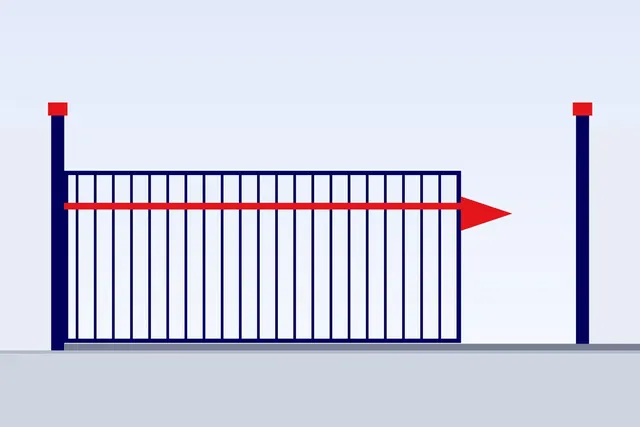
Automatic Sliding Gates
Made-to-measure automatic sliding gates for villas, compounds and industrial yards, with a quiet motor, photocells and remote, keypad, intercom or phone control.
View details -

Garage Door Openers
Chain, belt and shaft garage door openers for sectional and roller doors, supplied, fitted, replaced and repaired after a free site visit anywhere in the UAE.
View details -

Gate Motors
Sliding, swing, underground and ram gate motors sized to your gate, supplied, fitted, replaced and repaired after a free site visit anywhere in the UAE.
View details